JRC NWZ-173-DT and MPBC42446: monitor and stand as separate items
For the desk post JRC In the order you need to distinguish the monitor NWZ-173-DT stand MPBC42446. In the catalog, there are two separate positions. A request for only one item does not determine whether the screen will be placed together with the mechanical attachment.
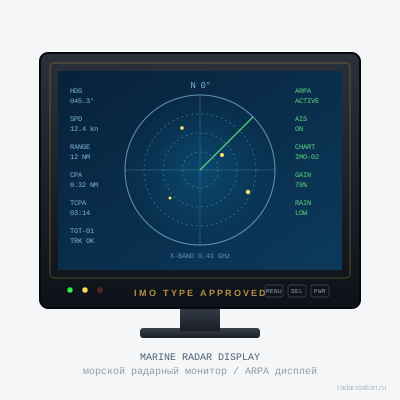
Where the monitor ends and the mounting begins
In the JRC JFS-6880 factory brochure, the designation NWZ-173-DT refers to a 19-inch color LCD display. In the JRC JMA-5300MK2 manual, Figure 1.5 separately shows the NWZ-173 monitor with an optional stand MPBC42446. These are documents of different systems: they help to distinguish the assignment of positions, but do not replace the coordination of the exact configuration of the supplied monitor.
The stand solves the problem of placement and fastening. If you want to restore the image at the post, the order of one mechanical part does not determine the composition of the electronic part. Conversely, the presence of a display in quotation does not yet describe its desktop mounting.
Desktop installation or preservation of an existing site
Specify how the previous monitor is installed: on the stand or in the panel. If the mount is maintained, you need its designation, photos and mounting dimensions. If a new stand is required, turn it on in a self-contained row with the agreed fastener and accessories.
Do not order a new mount only diagonally screen. For the final selection, the exact marking of the monitor, the applicable drawing and the conditions of posting, including access to connections, are verified.
Suffix configuration remains in the specification
The documents contain NWZ-173 and NWZ-173-DT. In the application, keep the full designation from the nameplate. The sizes, connections and composition of one variant cannot be automatically assigned to another by the abbreviated name of the series.
If replacement is required in an existing installation, attach a system model and a list of retained blocks. Separately, coordinate the electronic connection of the monitor and its mechanical installation: a successful check of one point does not confirm another.
Order description and acceptance result
- Monitor: Full configuration, status and coordinated image verification.
- Stand: You need a new MPBC42446 or you keep the existing one.
- Fortresses, cables and accessories: listed individually, without the assumption "all included".
- Installation: the applicable drawing and the selected installation method are confirmed.
Use a separate mechanical part to request MPBC42446 stand card. If you need both positions, list them in one application and ask for a separate quotation inventory.
Card and documents
- JRC: JFS-6880 - NWZ-173-DT as part of the display system
- JRC: JMA-5300MK2 Instruction Manual - drawing 1.5, NWZ-173 with stand MPBC42446
Supply and coordination
In the current catalog NWZ-173-DT and MPBC42446 are presented separately, both positions with the mark New · 1. The monitor and stand are not automatically combined into one set. Actual availability, condition, inventory and reserve are confirmed by quotation.
Price and term - by quotation for the agreed composition. Specify the port or city, the required date, documents and method of acceptance. A mark in the catalog helps to select a position for the request; the actual balance and reserve are confirmed before the order.